
Want to tap into the goldmine of Instagram’s most valuable audiences? Scraping followers from verified accounts can supercharge your influencer marketing, competitor research, and lead generation, but Instagram’s strict anti-scraping defenses make it risky. In this ultimate guide, you’ll discover how to use Give Me Data to scrape data from verified Instagram accounts.
Instagram is one of the most powerful social media platforms for influencer marketing, brand growth, and audience engagement. Scraping followers from verified accounts can provide valuable insights for competitor analysis, influencer outreach, and lead generation.
In this guide, we’ll explore different methods to scrape Instagram followers, using Give Me Data (my own tool) which simplifies the process while staying compliant.
Here’s a Step-by-Step Guide: How to Scrape Data from Verified Accounts
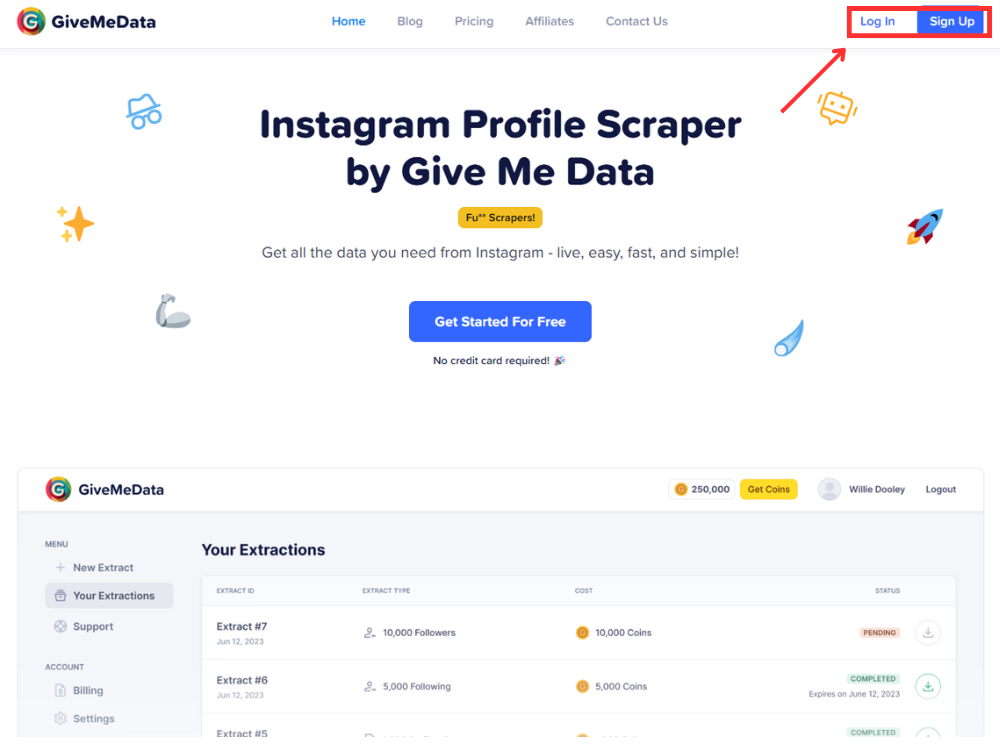
Login in to your Give Me Data account. If you haven’t created an account yet, signup using this link to get started!
 (open full size)
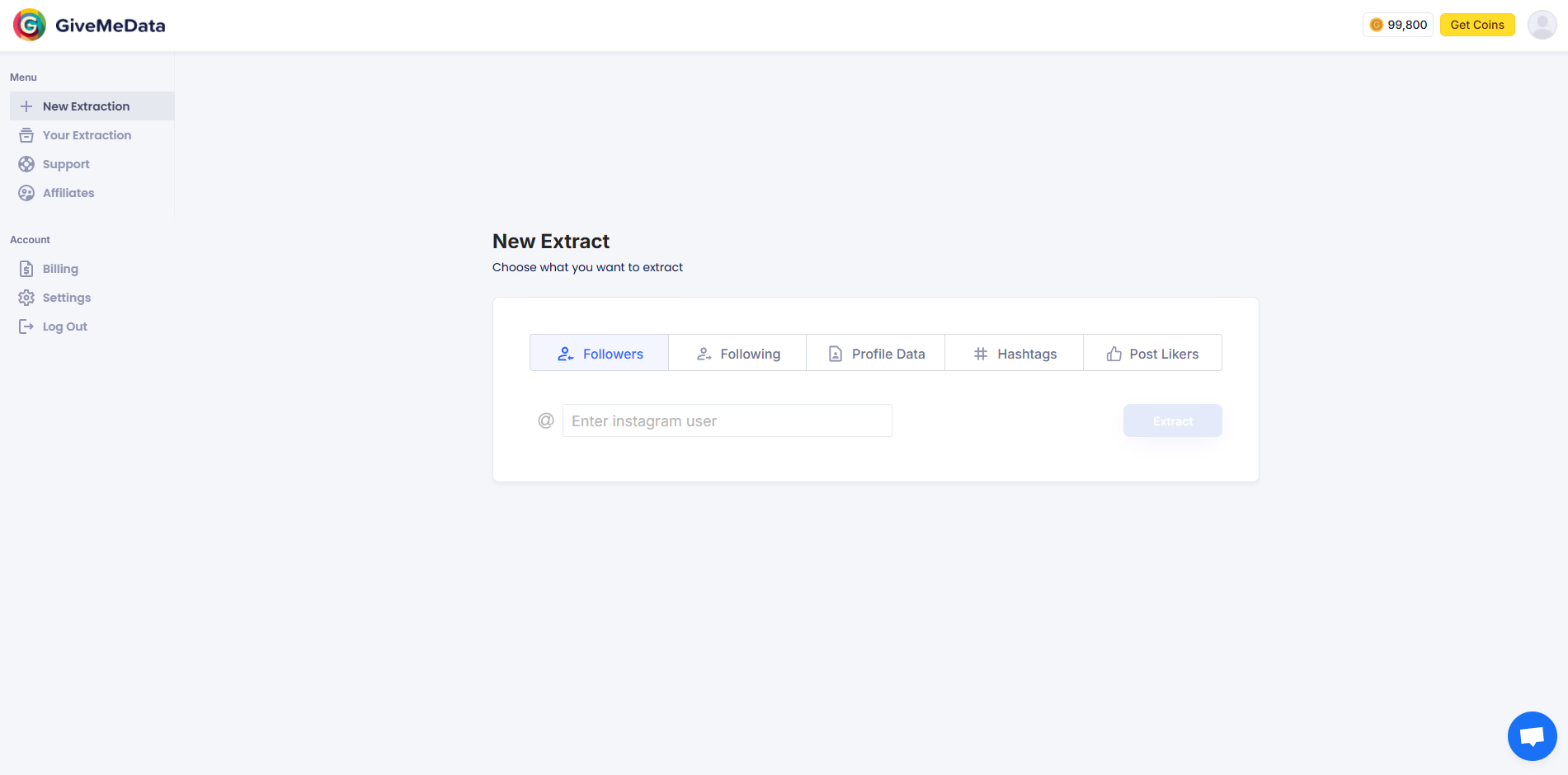
This is the dasboard you see:
 (open full size)
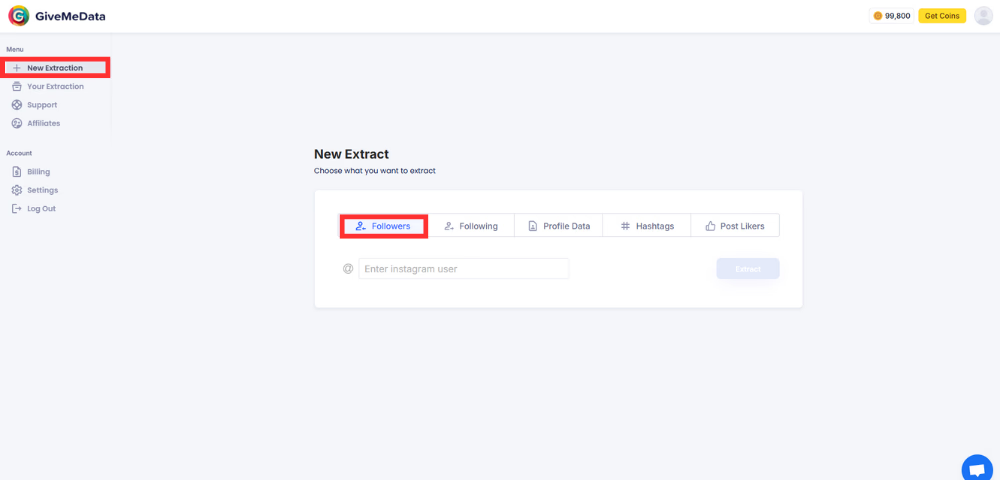
For our example, we try and srcape the followers and following of Mark Zuckerberg. Let’s start by scraping the followers of Mark. For our example, we will scrape 20 followers from this verified account:
 (open full size)
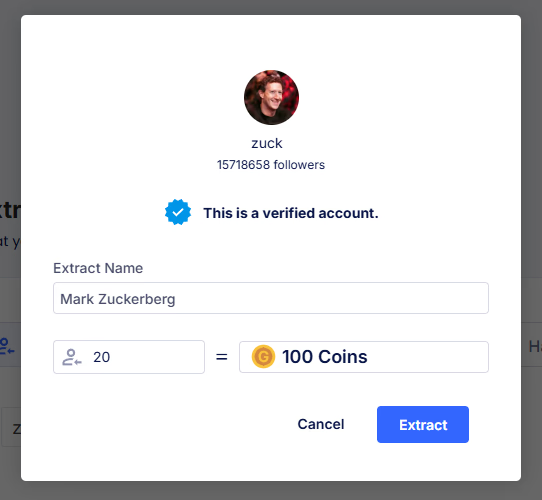
As you can see from the above screenshot, followers of verified profiles used to cost more. Today Give Me Data charges 1 credit per follower, verified profiles included. Once the extraction is completed, go to the ‘Your Extractions’ tab from the left bar, and you will see your extraction:
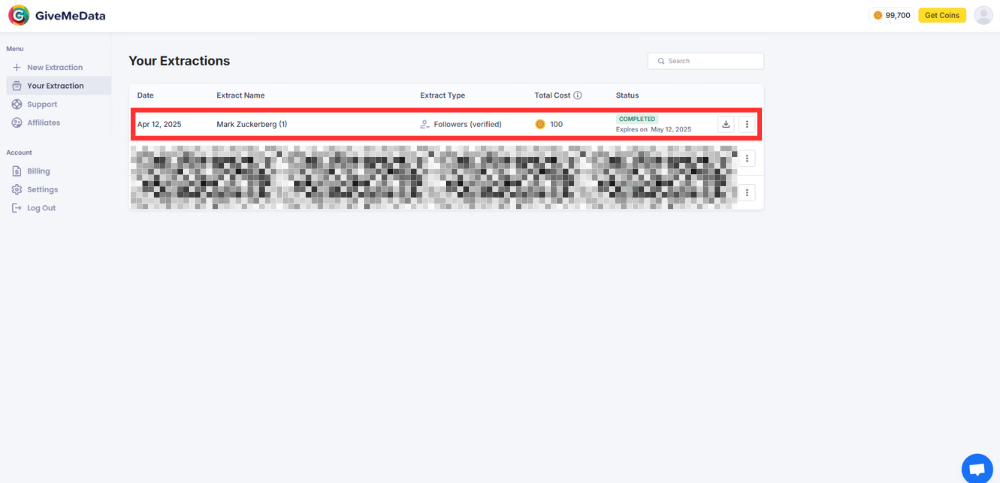 (open full size)
As you can see from the above picture, you can check the date, extract name, extract information (followers/following/verified/non-verified), total cost (credits used for this extraction), and the status of that extraction. Towards the right, you can also see the download and details button. Your extracted data can be downloaded as a CSV file, for for ease of access and formatting:
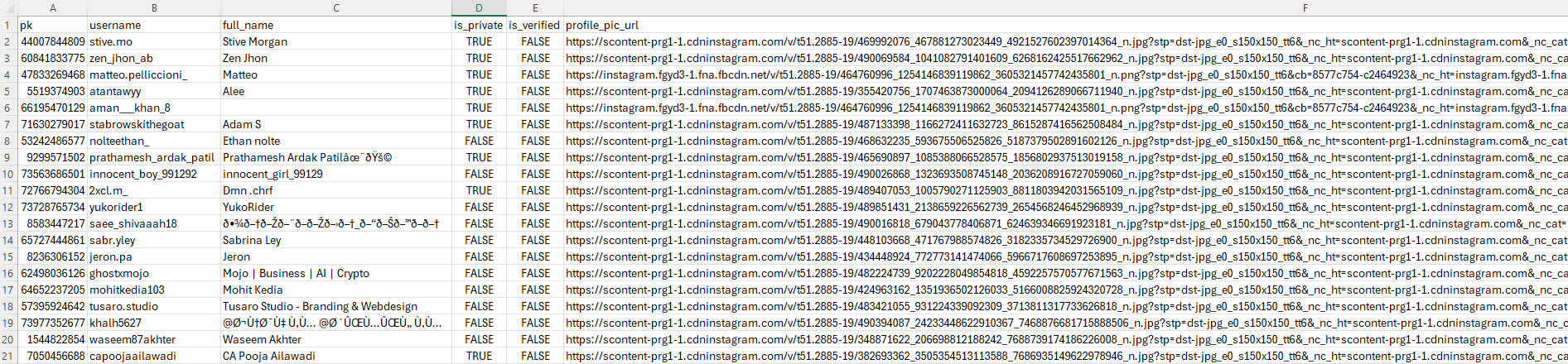 (open full size)
From the results of your extraction, you get:
✔️User ID
✔️Username
✔️Account information - Public or Private
✔️Profile picture URL - yes, even that!
But let’s just say this information is not what you are looking for, and you want emails for email outreach or addresses of the followers of Mark - we got you covered! Head back to the new extractions in Give Me Data and select ‘Profile Data’ option. Upload the CSV file you just downloaded in the previous step:
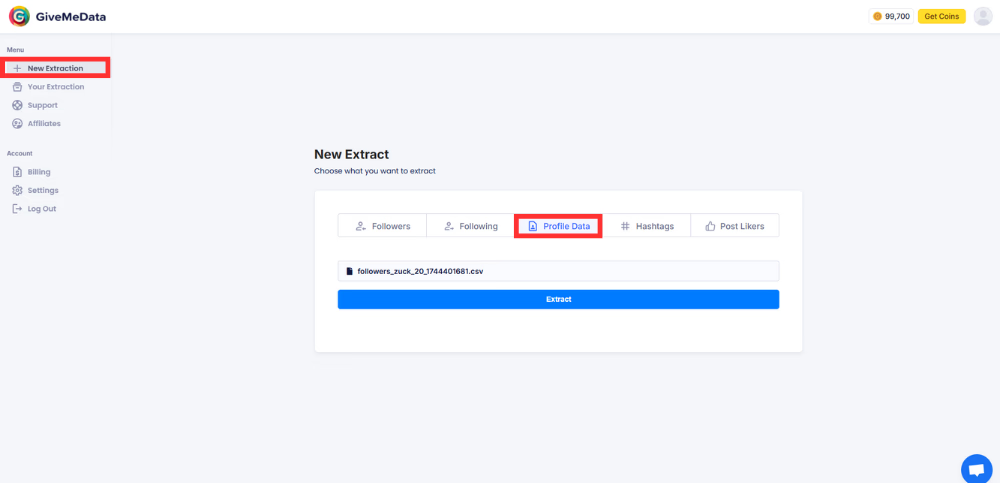 (open full size)
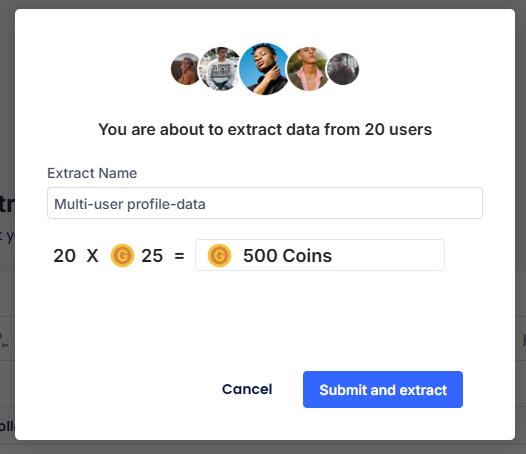
Here the tool uses 25 credits per user. Thus for 20 users extracted in the previous step, it will charge us a total of 500 credits:
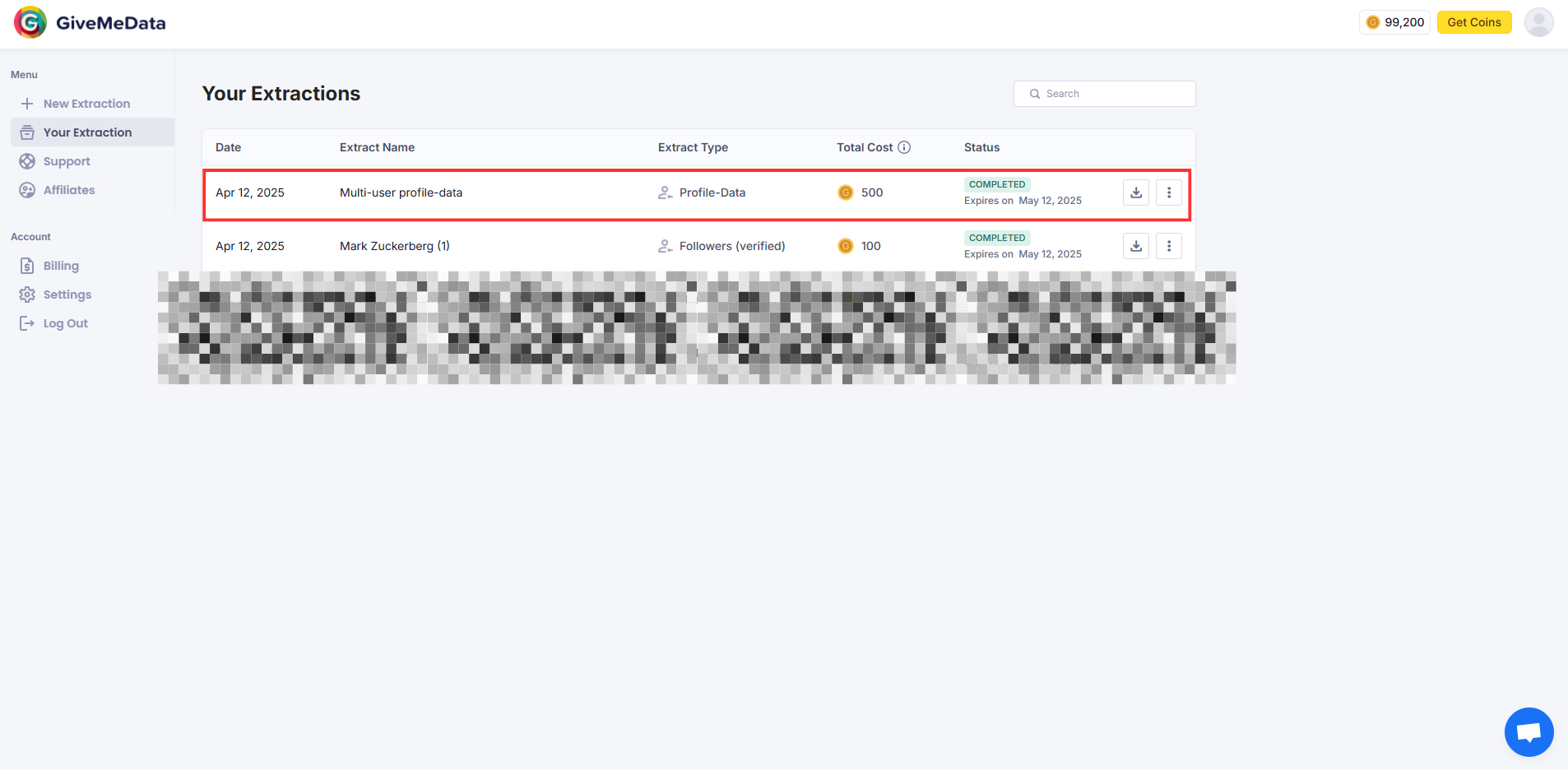
This new extraction will now be available in the ‘Your Extraction’ tab on the left and side:
 (open full size)
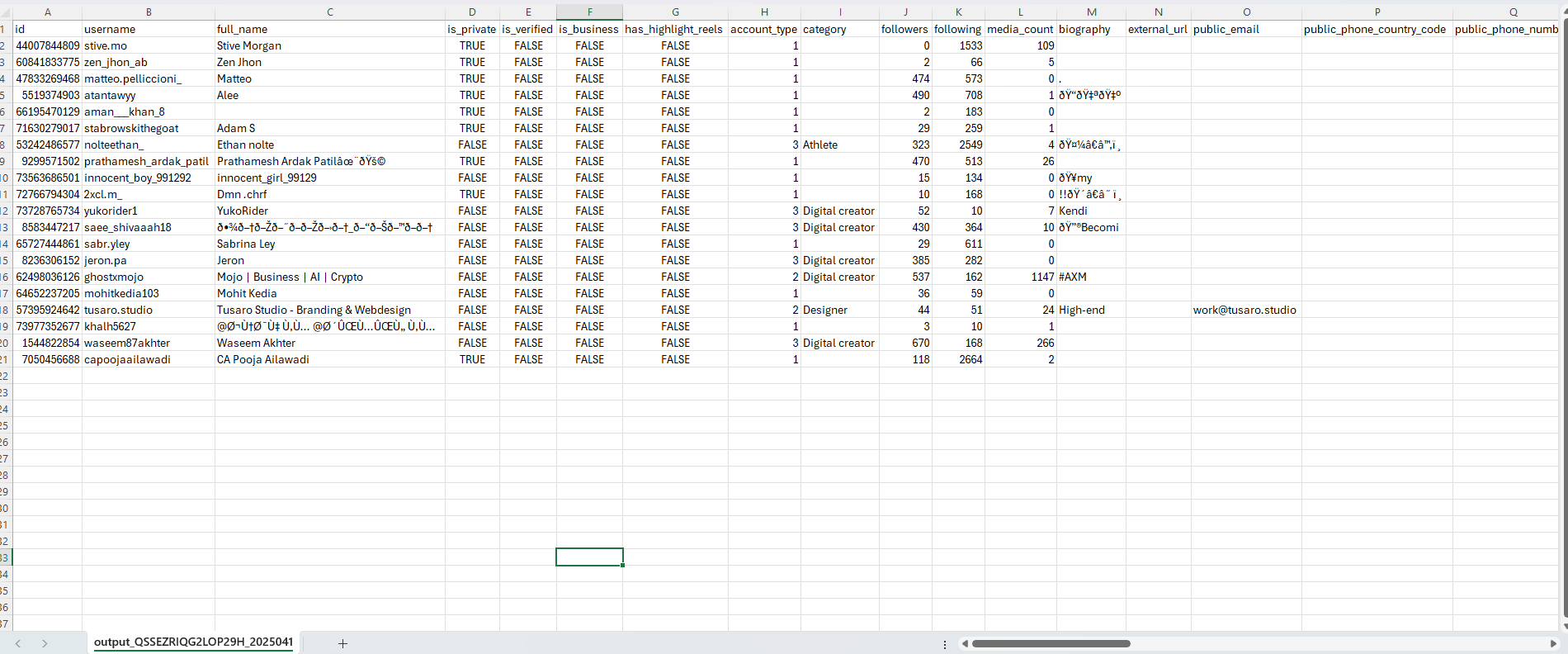
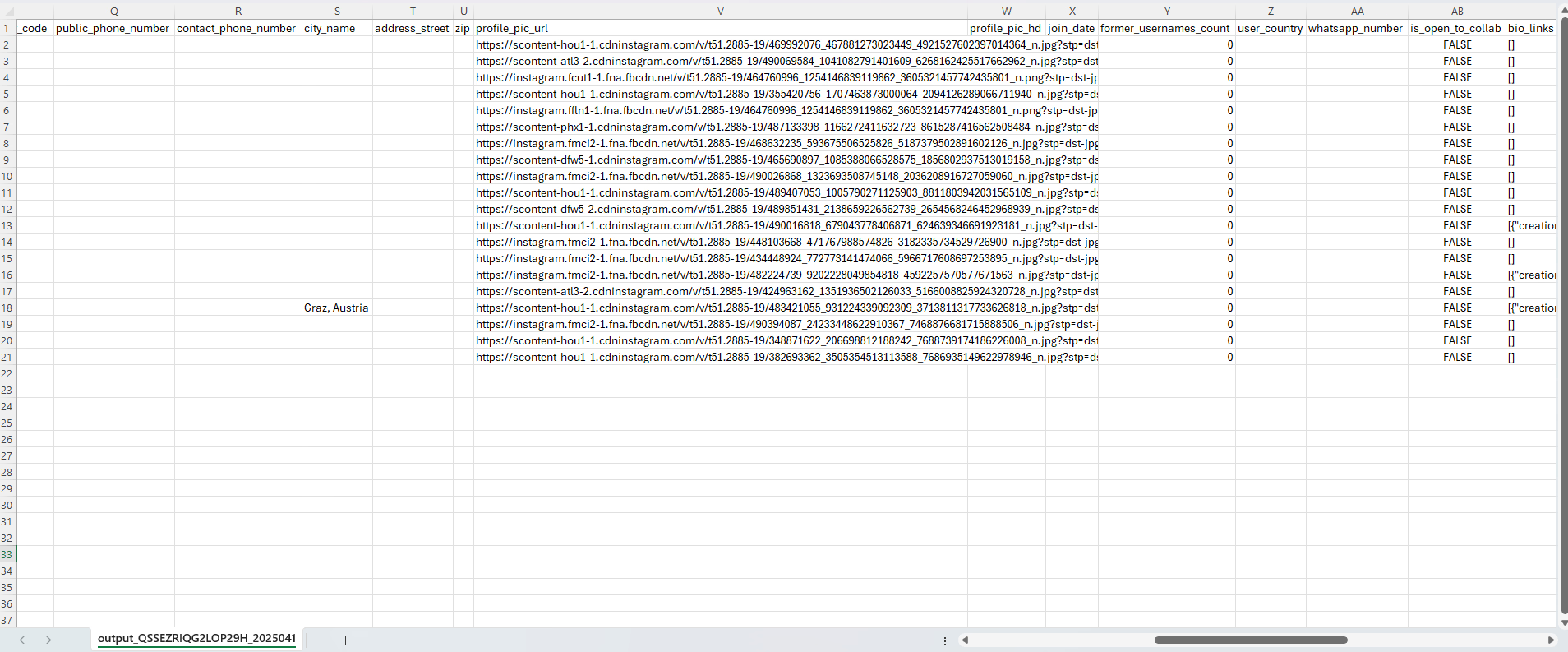
From the new CSV downloaded, you now get much more information such as:
✔️Profile - business account or not
✔️Highlighted reels information
✔️Category of the account - Plastic Surgeon, Entrepreneur, Heallth/Beauty etc
✔️Number of followers
✔️Number of following
✔️Number of posts
✔️Bio details
✔️External URL - link in bio
✔️Emails
✔️Phone number
✔️Address
 (open full size)
 (open full size)
Give Me Data is only able to scrape public information. Thus, if some users are not missing email addresses or phone numbers, it means that this information is not provided by them to Instagram. Funny enough, in our example above, most users are missing email addresses and phone numbers.
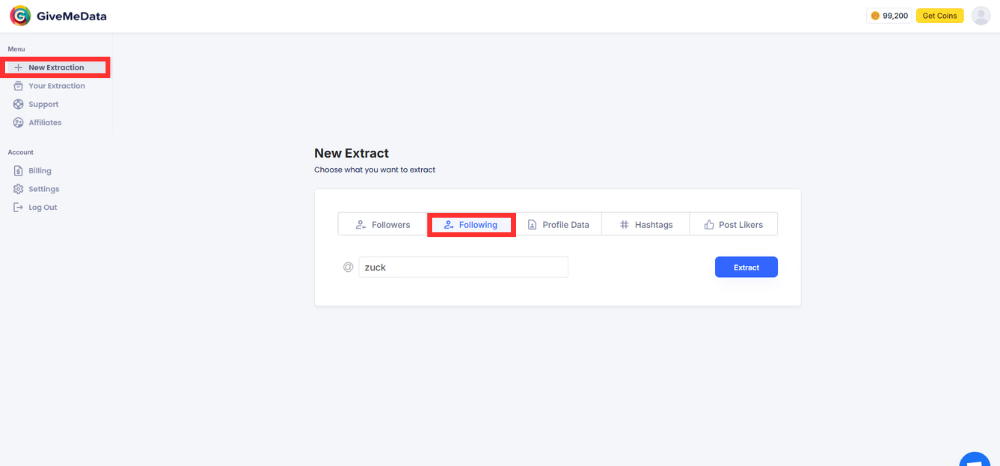
Now, let’s try and extract the people who a verified user (let’s continue using Mark Zuckerberg’s example) is following. Let’s go back to the ‘New Extraction’ tab from the left bar and head to the ‘Following’ tab. Here we put in the username of Mark:
 (open full size)
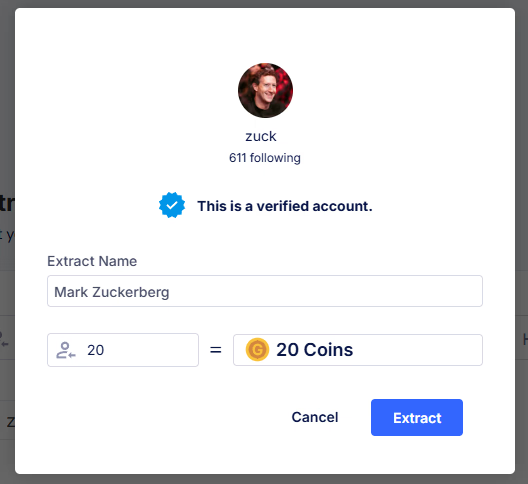
Let’s trying extract 20 users who Mark is following. Give Me Data charges 1 credit per user scraped from verified proifles:
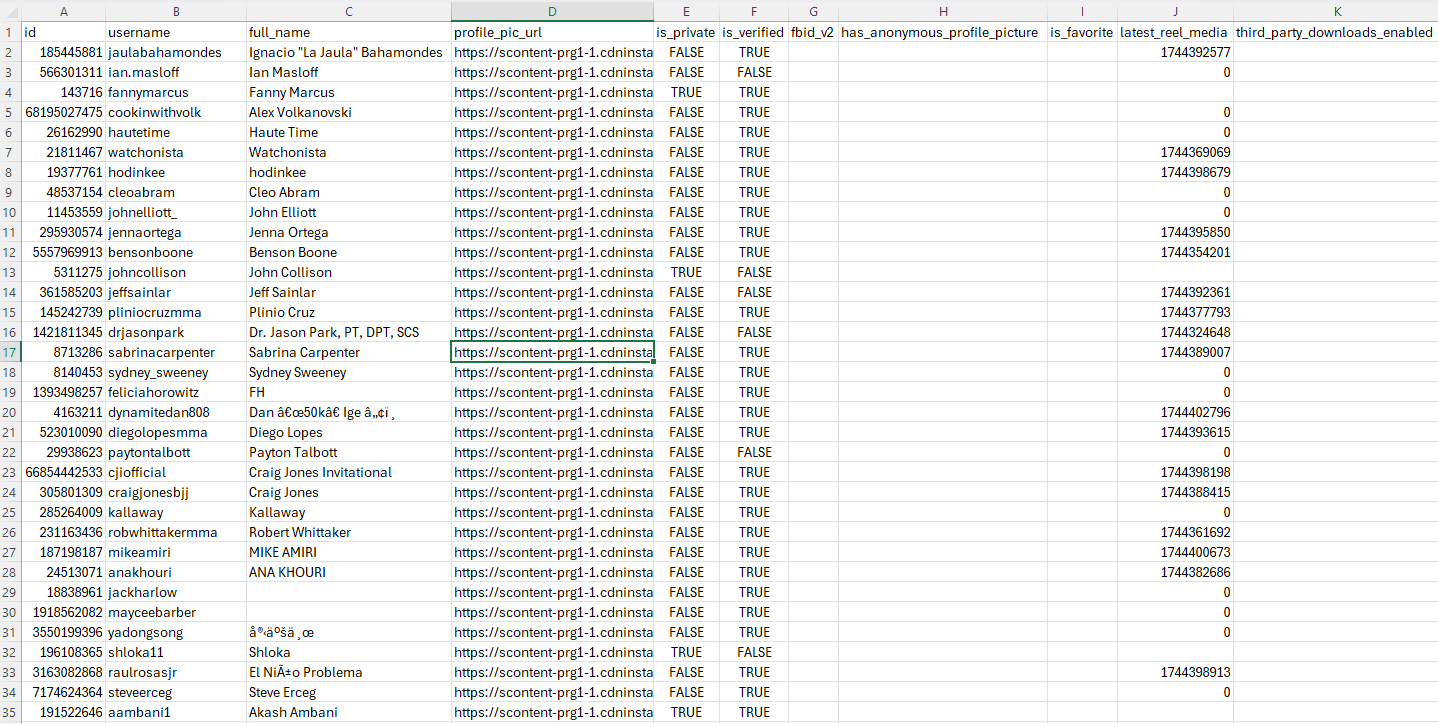
Here is a picture of the CSV downloaded, showing the data of 20 users who Mark is following:
 (open full size)
From the results of your extraction, you get the following information from the ‘following’ of Mark (a verified account):
✔️User ID
✔️Username
✔️Account information - Public or Private
✔️Profile picture URL - yes, even that!
Again, if you are looking to get more data on these 20 users, you can follow the same steps as above - head back into the new extractions in Give Me Data and select ‘Profile Data’ option. Upload the CSV file you just downloaded and this will give you even more data.
Conclusion
Scraping followers from verified Instagram accounts can unlock powerful insights, if done correctly. While manual methods and Python scripts work, they’re slow and risky. Give Me Data provides a compliant, fast, and scalable solution without coding.
Wanna know how to make money using Give Me Data? Definitely check out this blog!